The therapists you supervise, kept apart from your clients

If you supervise other therapists, each supervisee has a record of their own in a Supervisees view beside your clients: their sessions, their invoices and their documents, never mixed into your client list.

At a glance
  • A Supervisees view beside your clients
  • Supervision booked and invoiced like any session
  • Documents signed in a portal of their own
  • Supervision groups, with attendance per session

Two lists, never confused

Supervisees sit in their own view on the Clients page. A supervisee cannot be added to a client group and a client cannot join a supervision group, so the two kinds of work stay apart.

Supervision runs like the rest of your diary

A supervisee is seen under one of your own services, so a supervision session is booked, reminded and invoiced the way a client session is.

A portal of their own

Supervisees sign in with a link sent to their own email address, with no password to create. The contracts and forms you share are signed or completed there, and land on their record.

01

Add a supervisee

On the Clients page, a practitioner who supervises sees Add supervisee beside Add client. It opens a short set of steps: personal details, service and payment, the supervision profile, the documents to send and the invite message.

The supervision profile records their professional body, registration number, accreditation status and modalities. Their accreditation shows in the header of their file, next to "Supervising since".
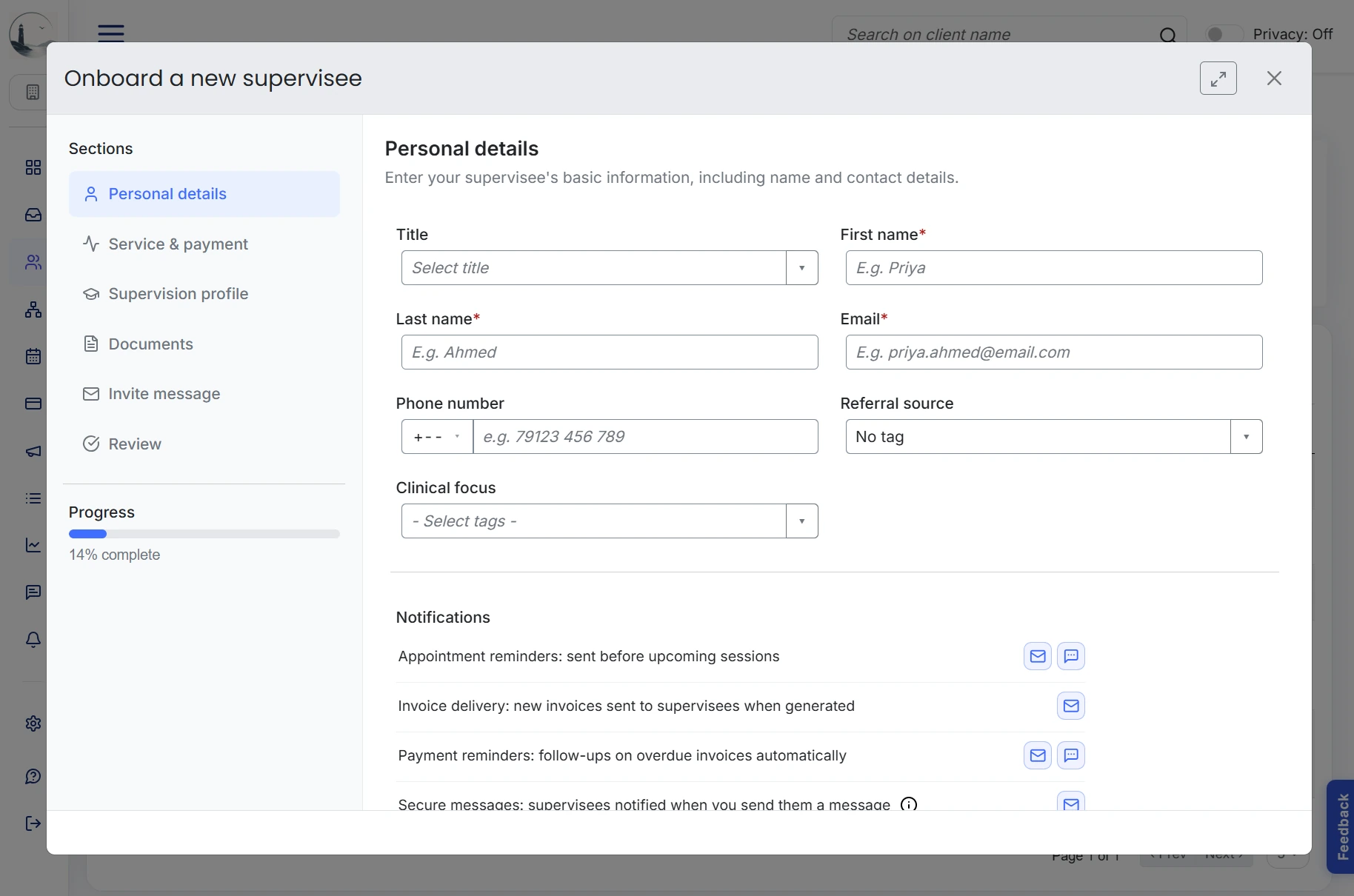
Onboarding a new supervisee: the six sections, with the personal details and notification channels

A supervisee's file has four tabs: Overview, Sessions, Billing and Documents.
02

Book and invoice supervision

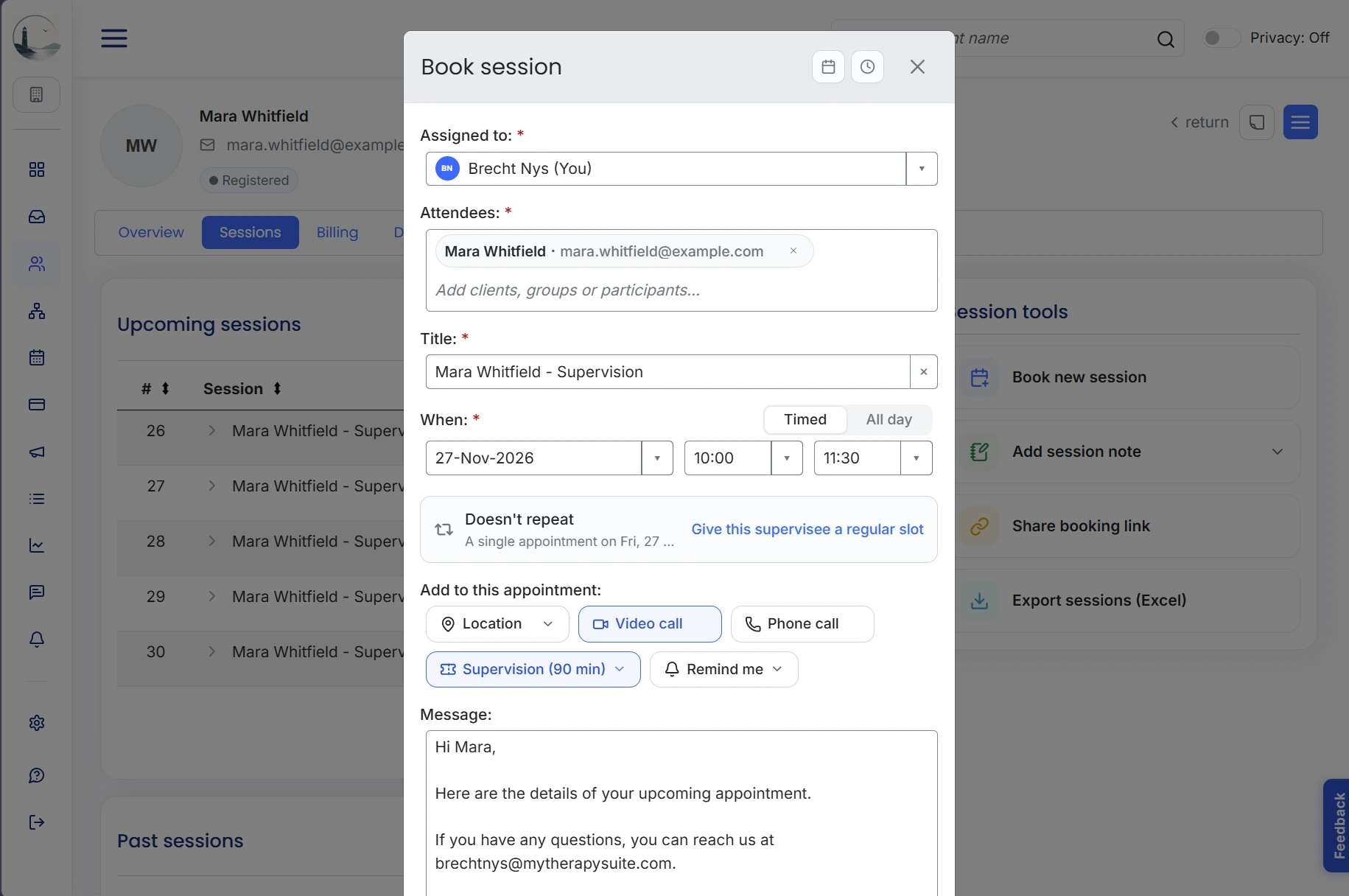
Book a supervision session in Scheduling, or with Book new session on the supervisee's file, once or as a regular slot. It carries one of your own services, so its length and price are already set.

Sessions appear on the supervisee's Sessions tab and are invoiced from their Billing tab. Supervisees get appointment and payment reminders on the same terms as clients, by email and by text.

Booking a supervision session from the supervisee's file, under the supervision service

In a group practice, whoever assigns clients to practitioners chooses the supervisor when the supervisee is added.

03

Supervise in groups

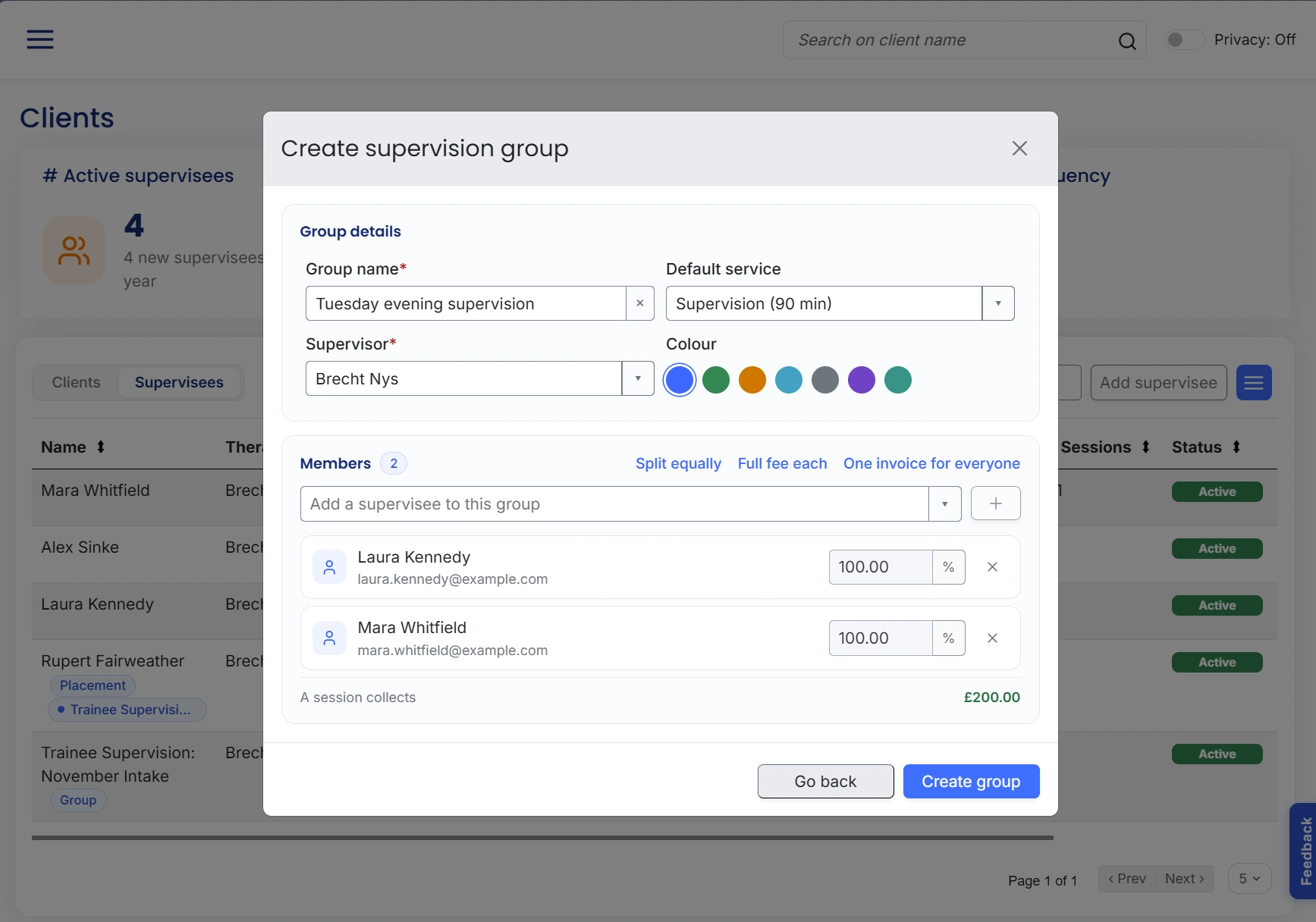
A supervision group is created from the Supervisees view, the way a group is created for clients. Book it once and every supervisee in it is on the booking, as a single session or a recurring one.

It is billed like any group: the full fee for each supervisee, a split between them, or one invoice for everyone. After each session, whoever ran it marks who attended, so the record shows who was there.

Creating a supervision group from the Supervisees view, with two supervisees each paying the full fee

A supervisee can belong to any number of supervision groups.

04

A supervision portal of their own

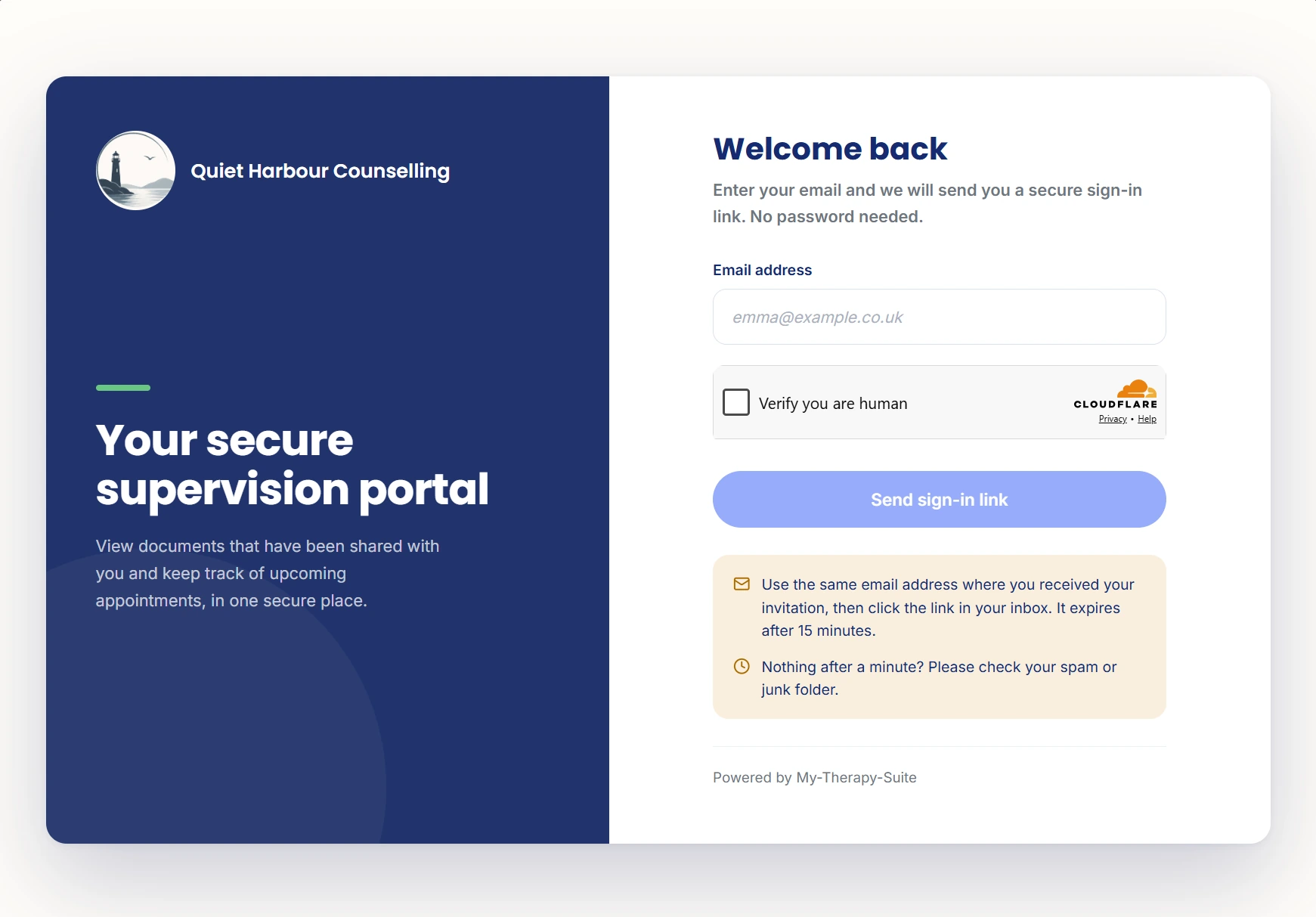
Supervisees sign in to a supervision portal under your practice's name and logo. They enter their email address and receive a sign-in link, so there is no password to create.

There they see the documents you have shared with them and their upcoming appointments. What they sign or complete lands on their record.

The supervision portal's sign-in page, under the practice's own name and logo

A sign-in link expires after 15 minutes.

Questions

Questions UK therapists ask

  • Yes. Supervisees have their own view on the Clients page and their own records. A supervisee cannot be a member of a client group, and a client cannot be a member of a supervision group.

Run your whole practice in one place

Free for 30 days, no card required. Most therapists are taking new bookings the same afternoon they sign up, and cancel any time without writing an email.