The child is the client. The parent gets the paperwork.

Add the parents or guardians around a client and choose, for each of them, what they do: receive the invoices, hear about the appointments, or sign in to the portal to act for the client. The client's record stays the client's own.

At a glance
  • A client needs no email address of their own
  • Invoices addressed to the person who pays
  • Portal access for a parent, in their own name
  • The journal and messages stay private to the client

No workaround for a child without an email

Choose "Communication via guardian" when you add the client, and a guardian's details take the place of the client's email and phone. The child is onboarded as themselves, and everything you send reaches their guardian.

Each person does exactly what you set

Every family member has three switches: receives the invoices and payment reminders, receives the appointment invites, changes and reminders, and signs in to the portal to act for the client. Two parents can share them or split them.

Access that ends the moment you end it

Remove someone from the client's circle, or switch their portal access off, and their access to that client stops at once, signed-in sessions included. Their own record and login are not deleted by it.

01

Add the people around the client

Family & guardians is a tab of the client's details. Add a parent, guardian, stepparent or adult sibling with their own name, email and phone number, and say how they are related to the client.

Then set what this person does. For a client who has no email of their own, the only person in the circle holds all three switches, since there is nobody else for anything to go to. From the second person on, each switch is a choice.
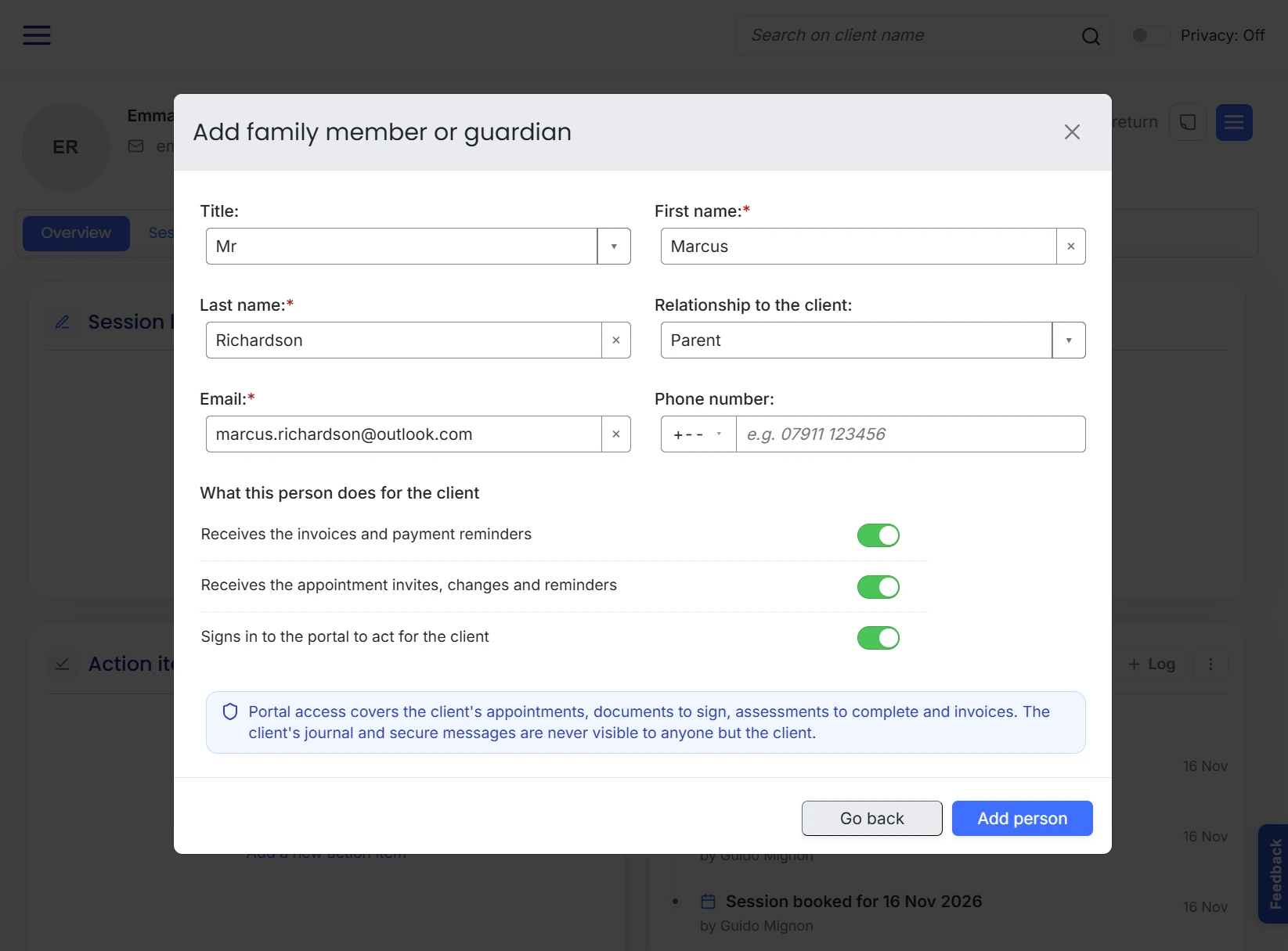
Adding a family member or guardian, with the three switches for invoices, appointment emails and portal access

One person is one record. A parent with two children in therapy is added to both with the same email address, and keeps a single login.
02

Invoices go to the person who pays

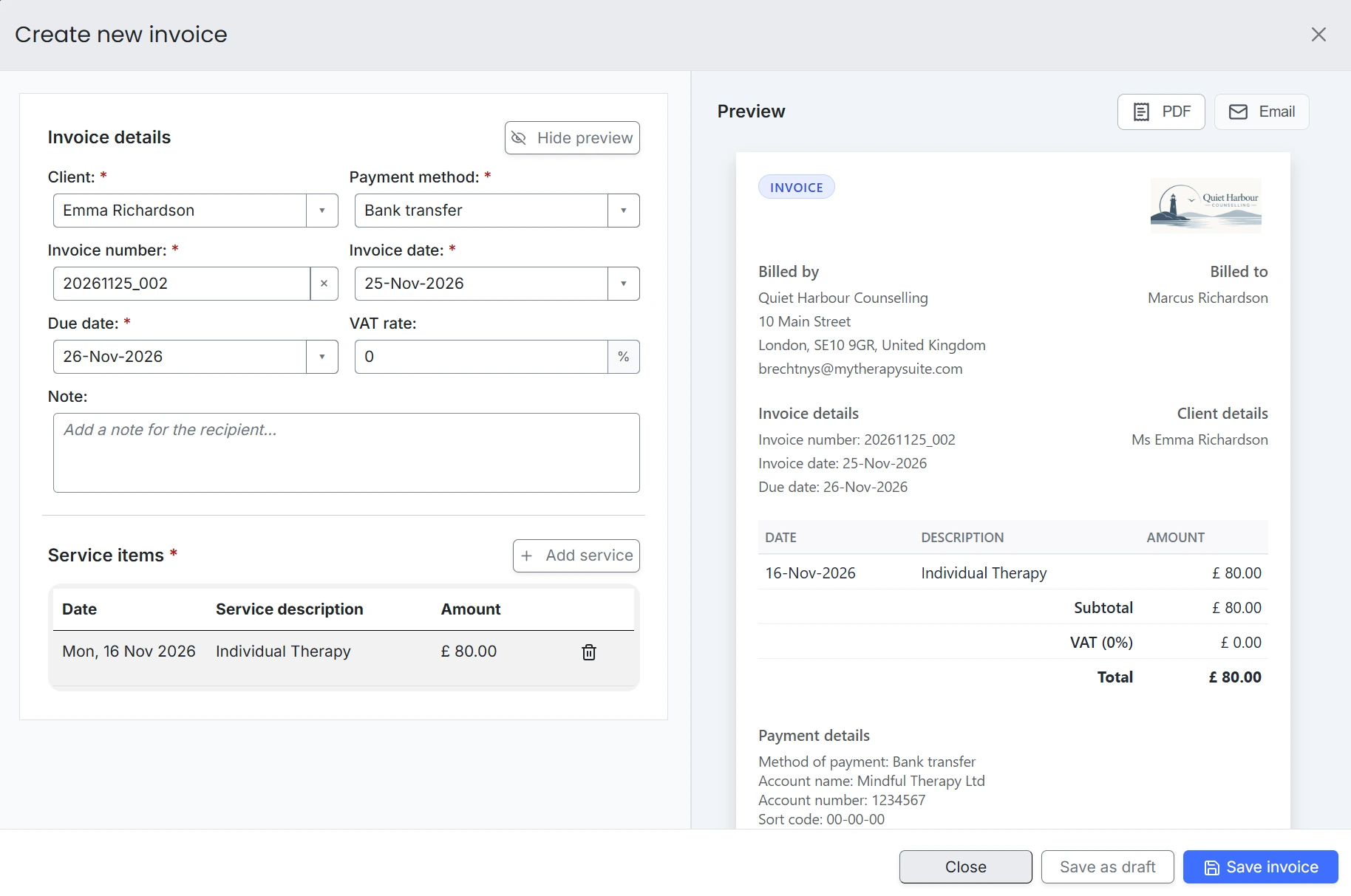
A family member with billing switched on receives the client's invoices and payment reminders. The invoice is billed to them by name and still says which client it is for, so their records and yours agree.

Where both parents are billed, the invoice names them together and each receives it. Appointment emails and reminders follow the same idea: they go to whoever is set to hear about the appointments, each worded to its reader.

An invoice for a child's session, billed to the parent and naming the child as the client

Text reminders go to every appointment contact who has a mobile number on their record.

03

A parent signs in as themselves

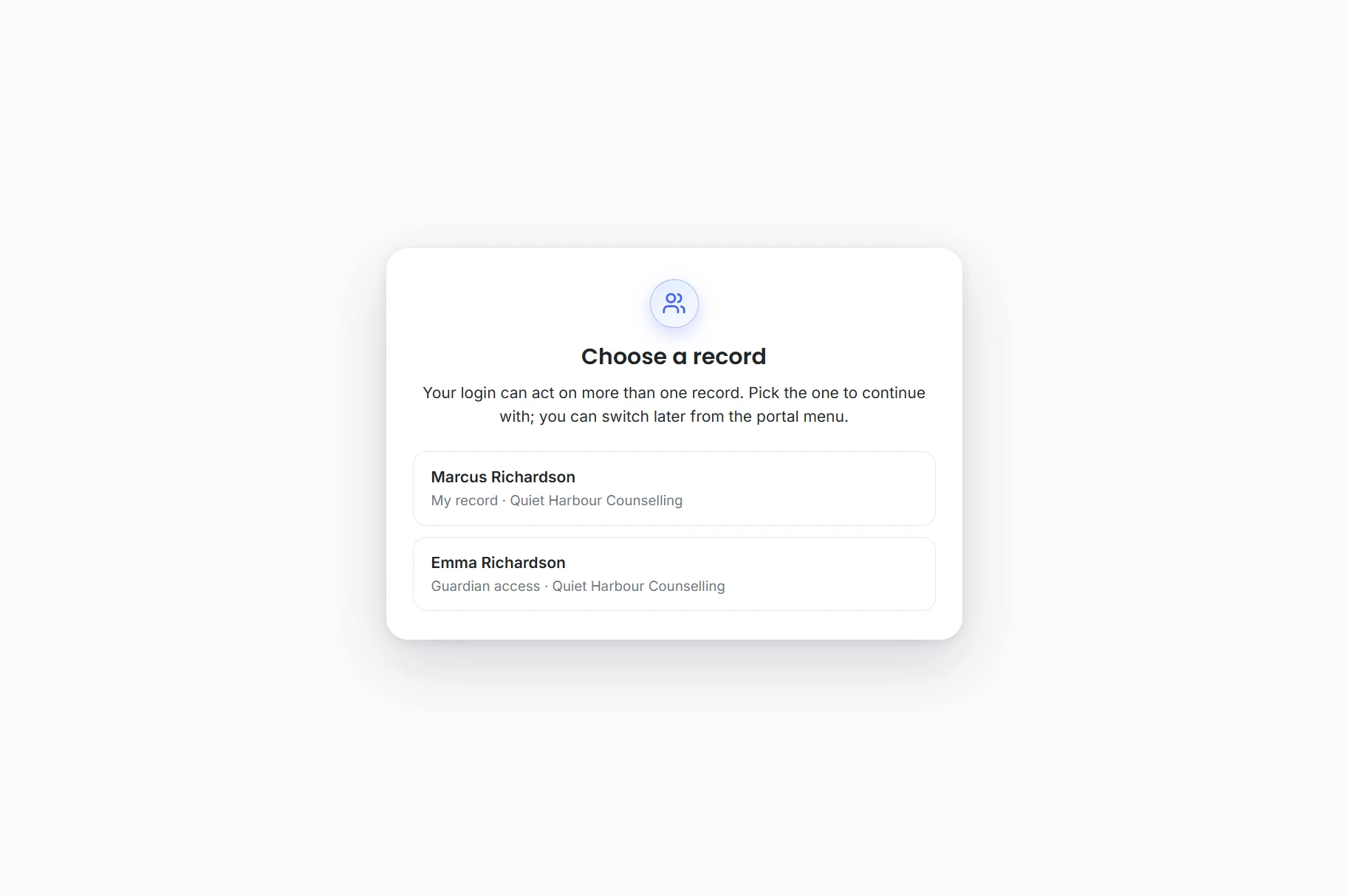
A guardian signs in to the portal with their own email address, never the client's. If their login can act on more than one record, such as their own and their child's, they choose which one to open and can switch from the portal menu.

Guardian access covers the client's appointments, documents to sign, assessments to complete and invoices. The client's journal and secure messages are never visible to a guardian, whatever is switched on.

A parent signing in to the portal and choosing between their own record and their child's

Two parents can each hold portal access to the same child, and each signs in with their own address.

What a guardian sees in the portal

Portal access is one switch per person. On means this fixed scope and nothing else.

In the client's recordA guardian with portal access
AppointmentsYes
Documents to sign and forms to completeYes
Assessments to completeYes
InvoicesYes
The client's journalNever
Secure messagesNever
See it work

Care for the client, communication through their guardian

A child does not need an email address of their own. Onboard them through a guardian, and the invoices, the appointment reminders and the portal access go to the people who actually handle them.

Questions

Questions UK therapists ask

  • Yes. Choose "Communication via guardian" when adding the client and enter the guardian instead. The child is onboarded as themselves, and the invoices, the appointment emails and the portal access go to the guardian.

Run your whole practice in one place

Free for 30 days, no card required. Most therapists are taking new bookings the same afternoon they sign up, and cancel any time without writing an email.