01
Create the group and agree the split
From Add client on the Clients page, choose Create group, name it and add the members from your existing clients. A client can belong to more than one group, and a group can have as many members as you need.
Each member has a share of the session fee. Split equally and Full fee each set every share in one press, or type your own split, as long as it adds up to 100%. One invoice for everyone sends the group a single invoice for the whole fee instead.
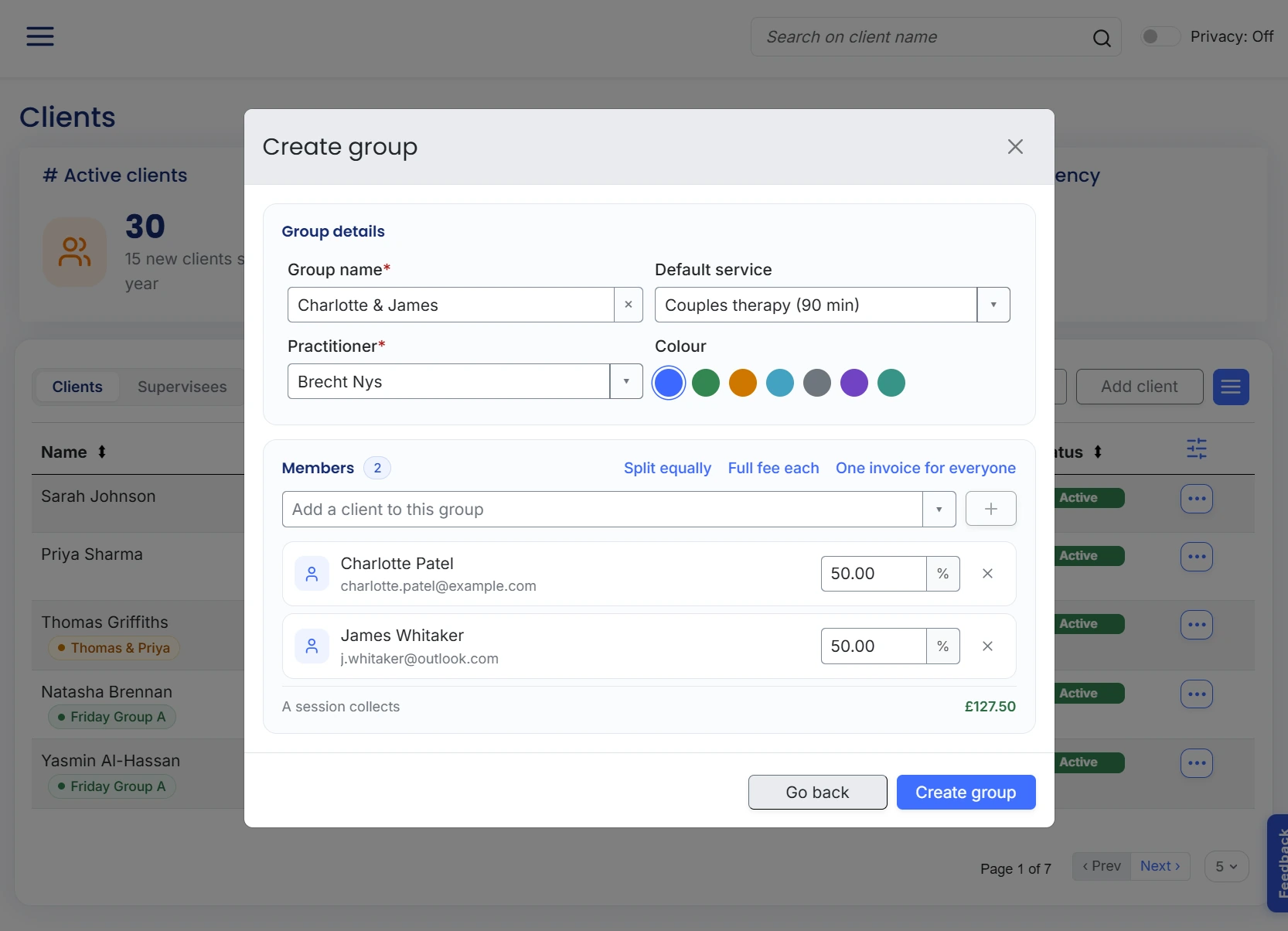
A default service and a colour are optional. The service fills itself in whenever the group is booked, and the group shows how much one session collects.